
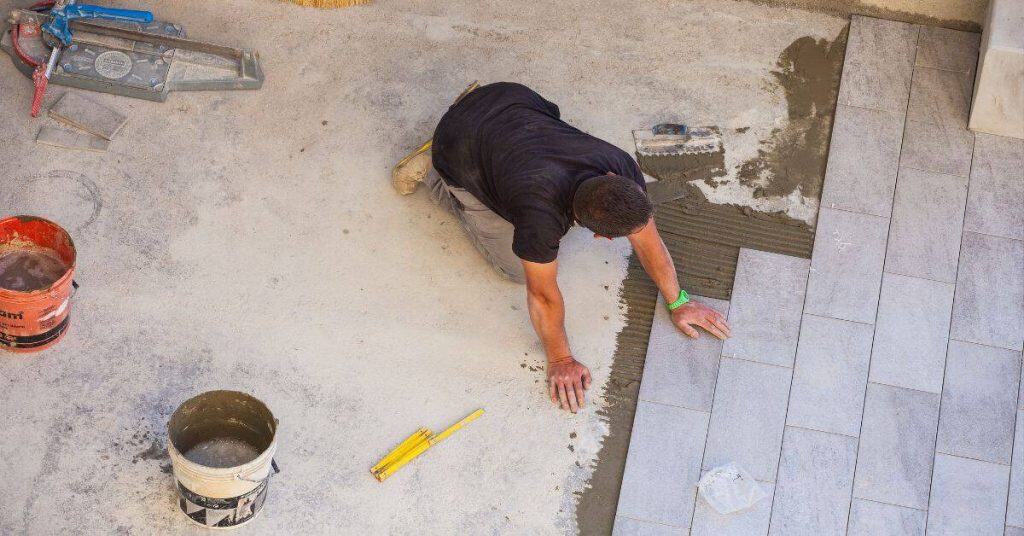
Introduction
Hollow tiles occur when the bond between the tile and the substrate fails, leaving empty space behind. You can spot it early by tapping tiles and listening for a dull thud, or feeling movement underfoot. Look for inconsistent grout lines or tiles that crack easily under light load.
Correcting course means improving surface prep, choosing the right adhesive and keeping tiles well supported until set. Follow manufacturer guidelines for prep, installation, and curing, and check local rules if you’re unsure. If a tile is truly hollow, you’ll want to resecure or replace the tile and rework the substrate bond, then recheck with a gentle tap test.
Key takeaways
- Inspect tile bond early by tapping and sounding for hollow areas during installation.
- Visual checkpoints include groutvoids, protruding edges, and inconsistent tile depth patterns.
- Use non-destructive tests first: tapping, light sounding, moisture checks, and infrared if available.
- Document findings clearly and avoid destructive tests without approval from the project owner.
- Apply corrective actions tailored to bond failure type with proper adhesives and curing guidance.
- Wear eye protection and masks when chipping or removing suspect tiles.
Table of Contents
- Introduction
- Key takeaways
- What Causes Hollow Tiles and Poor Bond
- Visual Checkpoints to Spot Hollow Tiles During and After Installation
- Non-Destructive and Minimally Invasive Diagnostic Methods
- When and How to Perform Destructive Testing Safely
- Corrective Actions for Different Failure Scenarios
- Tools and Materials Checklist for Inspection and Remediation
- Best-Practice Installation Steps to Prevent Hollows in the First Place
- Documentation, Quality Control, and When to Call a Pro
- Conclusion
- FAQ
What Causes Hollow Tiles and Poor Bond
Hollow tiles usually start with something not quite right underfoot. Substrate prep that’s rough, dusty, or uneven creates air pockets that prevent adhesive from grabbing. If you use the wrong adhesive, it won’t bond properly to the substrate or tile back.
Movement, contamination, or poor trowel technique can leave voids that feel hollow once the tile is set. Voids can form during installation or show up later as tiles settle or crack. Look for patterns that point to one root cause rather than a random failure.
Substrate and Surface-Prep Failures
Proper substrate preparation is key to a strong bond. Dust, laitance (a cement-rich layer), uneven screeds, and inadequate curing can all interfere with adhesion.
Dust: It acts like tiny ball bearings under your tiles, preventing proper contact with the adhesive. Ensure surfaces are clean before applying adhesive.
Laitance: This weak layer forms on concrete if it’s not properly cured or washed off. Remove it mechanically or chemically before tiling.
Uneven screeds: These can cause tiles to sit at different levels, creating voids under some tiles. Ensure your screed is flat and level.
Adhesive and Mixing Errors
Using the wrong adhesive or mixing it incorrectly can lead to poor bond strength.
- Wrong adhesive: Using an adhesive not suited for your substrate or tile type can result in weak bonds. Always choose the right one.
- Incorrect water ratio: Too much or too little water can affect set time and bond strength. Follow manufacturer’s guidelines precisely.
- Expired product: Old adhesive may not perform as expected. Check expiration dates before use.
- Pot-life issues: Adhesive that sets too quickly won’t allow enough time for tile placement. Mix small batches to control set time.
Remember, mixing and application instructions vary by product. Always follow the manufacturer’s guidelines.
Installation Technique and Environmental Factors
How you install your tiles and the conditions they’re installed in can impact bond strength.
Trowel notched size: Using a trowel with too small or too large a notch can result in insufficient adhesive coverage. Use the right size for your tile and adhesive type.
Lack of buttering: Not applying enough adhesive to the back of the tile (buttering) can lead to voids. Ensure full coverage.
Temperature extremes: Cold or hot conditions can affect set time and bond strength. Maintain recommended temperatures during installation.
Substrate movement: Movement in the substrate, like settling or expansion, can cause tiles to lift. Use flexible adhesives for areas prone to movement.
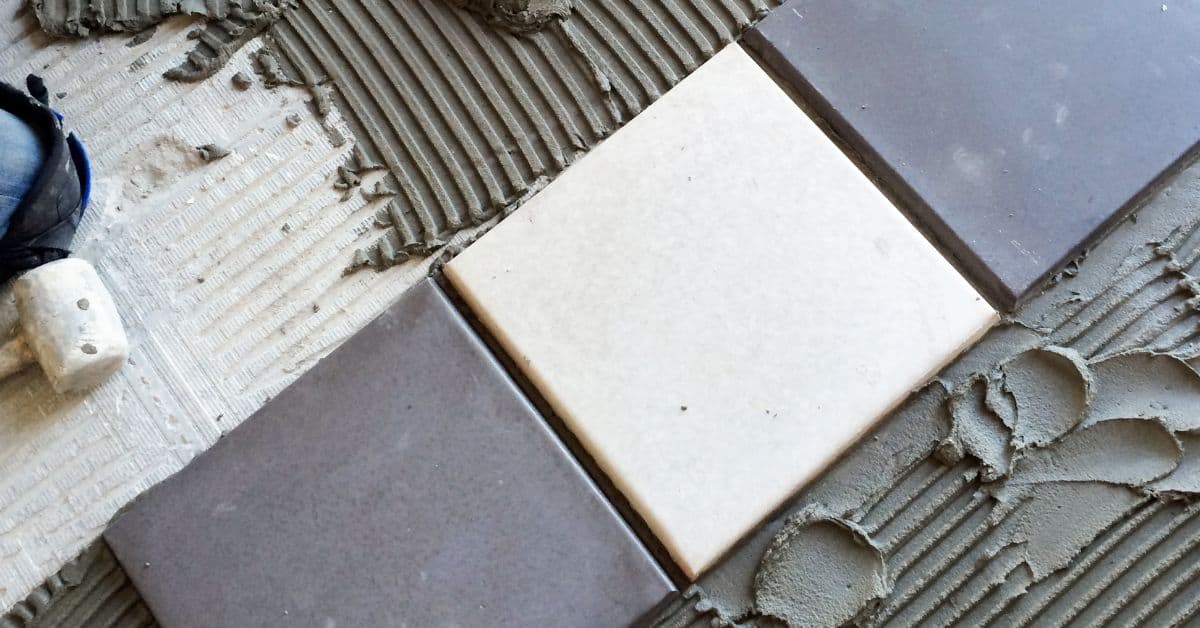
Visual Checkpoints to Spot Hollow Tiles During and After Installation
During installation, listen for unexpected clicks as you place tiles against the substrate. A hollow sound when tapping a tile after setting is another red flag. Loose edges or grout that doesn’t fill uniformly can also signal poor bond.
Post-install, inspect frequently for flatness, high spots, or areas where grout cracking appears around a tile edge. Note any sections that feel springy or give under light pressure. Set up a routine check cadence for large jobs and document findings as you go.
Knock and Tap Testing
Use this method during installation to check for hollow tiles. It’s quick and easy, but has its limitations.
- Tap gently: Use your knuckles or a light tapping tool to tap each tile.
- Listen carefully: A solid tile will sound full and dull. A hollow one will sound high-pitched and empty.
- Compare with good tiles: If unsure, compare the sound with known good tiles nearby.
- Avoid false positives: Don’t rely solely on this method. Some tiles may sound hollow but are still well-bonded.
- Check edges too: Tap along tile edges to check for loose or unsupported areas.
- Inspect regularly: Check every few rows during installation to catch issues early.
- Mark problem tiles: Use a pencil to mark any hollow-sounding tiles for further inspection.
- Recheck after correction: After fixing issues, recheck with the tap test to confirm they’re resolved.
Quick rule: If it sounds hollow, it’s probably a problem. But don’t stop there – follow up with other checks.
Grout and Edge Inspection
Inspect grout lines and edges for signs of delamination or lack of support during and after grouting.
- Check grout lines: Look for wide, inconsistent gaps between tiles. This could indicate poor bonding or movement.
- Feel for cold spots: If it’s cold outside, feel along grout lines for cold spots. These can indicate air pockets and hollow areas.
- Look for cracked grout: Cracks in the grout soon after installation may indicate movement due to poor bonding.
- Inspect edges: Check tile edges for any gaps or movement. This could mean they’re not properly supported.
- Check corners: Corners are high-stress areas. Ensure they’re well-supported and show no signs of movement.
- Recheck after grouting: Inspect again after grouting to ensure no new issues have appeared.
- Compare with good areas: If unsure, compare problem areas with known good areas nearby.
- Mark problem tiles: Use a pencil to mark any suspect tiles for further inspection or correction.
Quick rule: If you see gaps, cracks, or movement, it’s time to investigate further.
Using Straightedges and Levels
Use these tools during installation to spot lippage, unsupported spans, and other issues that may indicate hollow areas.
- Check for lippage: Run a straightedge along tile surfaces. If it wobbles or rocks, you’ve got lippage – tiles aren’t level.
- Feel for gaps: Along the straightedge, feel for any gaps between the tile and the straightedge. This could indicate an unsupported span.
- Use a level: Check each row with a level to ensure it’s properly supported and not sagging or humping.
- Check corners: Use a straightedge along corners to check for any gaps or movement.
- Inspect after setting: After setting tiles, recheck with the straightedge and level to ensure nothing has shifted.
- Check large spans: On long runs, use a longer straightedge to check for unsupported spans in the middle of the run.
- Recheck after correction: After fixing issues, recheck with the straightedge and level to confirm they’re resolved.
- Compare with good areas: If unsure, compare problem areas with known good areas nearby.
Quick rule: If it’s not level or supported properly, it’s probably a problem waiting to happen.
Non-Destructive and Minimally Invasive Diagnostic Methods
Electronic tap testers can help you map out spots with reduced bond without breaking tiles. Infrared thermography highlights temperature differences that may indicate moisture or voids behind the setting layer. Moisture meters can reveal damp zones that undermine adhesion and cure conditions.
Use these tools as a guide and verify readings with manufacturer instructions or product data sheets. Choose the method that fits the size of the area and the type of tile you’re working with. When in doubt, consult local rules or a professional for interpretation.
Electronic Tap Testers and Impact Hammers
Electronic tap testers and impact hammers are tools that measure the soundness of tile installations by analyzing the sound waves they produce when tapped. They’re useful for detecting hollow spots, indicating poor bonding.
Interpreting Results: A strong, clear tone means good bond. A dull, weak, or echoing sound indicates a void or poor adhesion.
False Positives: False positives can occur due to air pockets in the adhesive or moisture behind the tile. To minimize this, ensure proper substrate preparation and allow adequate drying time before testing.
Infrared/Thermal Imaging
Infrared or thermal imaging cameras detect temperature differences, which can reveal voids in tile installations. They’re non-contact and non-destructive.
How it works: Voids allow heat to transfer differently than solid areas, creating temperature variations that the camera picks up as different colors.
Conditions for reliable imaging: For best results, test in a controlled environment with consistent temperatures. Avoid testing immediately after installation or when tiles are heated by sunlight.
Moisture and Substrate Probes
Moisture meters and substrate probes measure the moisture content in your tile installation’s substrate. High moisture levels can indicate adhesion problems.
When to suspect adhesion problems: If readings are consistently high, especially if other diagnostic methods suggest poor bond.
Correlating findings: Use moisture readings alongside other testing methods for a comprehensive diagnosis. High moisture and weak tap tester results, for instance, strongly suggest adhesion issues.
When and How to Perform Destructive Testing Safely
Destructive testing is warranted when non-destructive methods raise concerns or when performance is clearly failing. Cutouts should be confined to the affected area, not the entire installation. Protect surrounding surfaces and work with careful, controlled cuts.
Remove tiles with care to avoid damaging surrounding layers, then document the condition of the substrate and adhesive. Record findings to guide corrective action and communicate results to any stakeholders involved in the project. Always follow safety guidelines and local requirements.
Targeted Removal Techniques
When it’s necessary to cut out tiles for inspection, do so carefully to minimize damage. Here’s how:
Step 1: Choose the right tool. Use a tile nippers or a score-and-snap tool to remove small areas.
Step 2: Work from the center outwards. Start cutting in the middle of the area you want to remove, then work your way towards the edges. This helps prevent cracking surrounding tiles.
Step 3: Be patient and take your time. Apply gentle pressure and let the tool do the work. Rushing can cause damage.
Interpreting Exposed Substrate and Adhesive
Once you’ve removed a tile, carefully examine the back of it and the substrate. Here’s what to look for:
The coverage percentage tells you how well the adhesive covered the substrate. Aim for 95% or more.
Check for adhesive transfer. If there’s a lot of adhesive stuck to the back of the tile, it might mean the bond was weak and breaking at the substrate level.
Look out for any contamination on the substrate. This could be dirt, grease, or other substances that prevent t